Thursday, May 28, 2015

Drones, Aerial Photography and GSB

GSB looking north into Morris county - May 26, 2015
   This week, Greg and Josh from SkyVue were on campus with a drone.  Drones, of course, are pilotless aircraft. They can be be incredibly useful but are not without controversy. To some, they are the very embodiment of technological utility. To others, they represent the worst of technology: the soulless machine.
    Safe to say SkyVue's drone was making a positive contribution.  The drone's mission was to photograph campus from an aerial perspective. With a high resolution camera mounted to the remote controlled drone, a set of photographs were generated that offered crystal clear panoramic shots of our campus.  On a beautiful day in May, GSB really shines!

SkyVue's drone, getting ready to take flight.
    But before we take look at our drone and it's work, you might be interested to consider the impact drones are having in fields as wide ranging as commerce, agriculture and the military.  The weekly news program 60 Minutes made a splash earlier with a story about Amazon's plans to use drones to deliver products. The story was posted on the cbsnews site and includes a link to the 60 Minutes video.  And more recently, the New York Times ran a story on farmers using drones to do flyovers so they could assess the state of their crops. Weed, water and harvest management are all more efficiently accomplished using pilotless craft outfitted with a camera.  But their actions are often in violation of FAA regulations, and this has set off a debate over commercial drone regulation. Over the winter, a New Yorker piece took a close look at the use of drones by the military.  An increasing number of military air missions into combat zones are done by pilotless craft. Often the personnel at the controls is housed thousands of miles away, joystick in hand. This relatively new form of air strikes leaves some to wonder how warfare is evolving.
   Yes, drones deserve our thought and attention, but we can also marvel at how they can solve certain problems with efficiency. If, for instance, you wanted spectacular aerial panoramic photographs of the Gill St. Bernard's School campus, then a drone offers a perfect delivery system.  Here's a brief video of SkyVue's drone in action:


    And those photos mentioned at the end of the video?  Take a look at the opening shot to this post, and a couple more below....
Our newly acquired pond, part of the Homewinds campus.
In the foreground, disassembled playground equipment 
in preparation for field house construction.
Beyond, recreational facilities and campus buildings.


Wednesday, May 13, 2015

What Happens in an Internet Minute? (cont.)

   In my last post, I wrote about data flow over the internet by focusing on what happens in one average minute.  Using a couple of infographic charts created by Intel, it was easy to see that even in a few short years, a tremendous amount of data moving over the internet stems from a relatively few sources.
    To tease out this data analysis just a bit more, here's another infographic I ran into that gives more information about data flow over an average internet minute.
To read more, go to the point of origin for this infographic: http://www.visualnews.com/2012/06/19/how-much-data-created-every-minute/

Wednesday, April 22, 2015

What Happens in an Internet Minute?


   What's an "internet minute?" It's an aggregate of all the data flowing over the internet over a given minute.  The numbers are staggering, and growing daily.  I won't get into data numbers; most eyes tend to glaze over quickly, and of course the information is readily available to interested people on the internet. Where else, right?
   To most of us, it is the trends and changes that command our attention.  For instance, more internet traffic now flows over mobile devices than over traditional computers.  Not sure who would have predicted that ten years ago.
By early 2014, mobile devices accounted for more than 50% of internet traffic. (a)

   Of course predicting where technology is heading is tricky business at best. At the dawn of the internet age, Netscape, Alta Vista and AOL completely dominated the newly emerging home page business, aggregating links, information and a browser. Only AOL has survived, but only barely. Internet Explorer, Firefox, Chrome and Safari now are our browsers of choice and the Google search engine is the home page of choice.  But don't for an instance think that they are permanent fixtures. Inevitably, time will bring change.
    A fine example of changes in internet use over time is found in a Cisco-created infographic, "What Happens in an Internet Minute?" The graphic was first created in 2012 and revisited in 2014.
    In 2012, YouTube, Google, Facebook, Twitter and Flickr were the top five sites in terms of internet usage.  A short two years later, Netflix is the number one site producing internet traffic. Yes, Netflix streams video and thereby use quite a bit of bandwidth relative to a site like Flickr, but even accounting for video's bandwidth requirements, Netflix has to be seen as one of the real internet success stories of the last few years. It's simply amazing how much traffic moves through their site. Perhaps even more surprisingly, Netflix and YouTube account for over half of all internet traffic.
   Earlier, I mentioned that mobile devices were now carrying more than half of all internet traffic.  One predictable change that follows the trend towards mobile computing concerns applications. In 2012, there were 47,000 app downloads in an internet minute. By 2014, that number had climbed to 194,064. Likely, as I write this well into 2015, there are over 200,000 apps downloaded in an internet minute worldwide.
   Another interesting fact is found in the 2014 infographic in the And Future Growth is Staggering section.  Here, it is mentioned that in 2017, there will be three times more connected devices than people on Earth. This alludes to the "internet of things."  You may have heard this phrase associated with the next big wave of internet usage.  Smart appliances, cars that can connect to emergency services and industrial machinery that is wirelessly connected to remote sensors all are part of the internet of things.  It's a trend that is growing in visible and invisible ways, and its growth seems without limit right now.
   Want to take a good, close look at these infographics? Right click on an image below and choose the prompt "save as."  Then save the file to your computer. Now, you can open it up as a separate file and even expand the image for a closer look.  And, you can begin to think what this infographic will look like a few years from now.   

This infographic illustrates an internet minute in 2012 (b)

In 2014, just two short years later, the composition of an internet minute shows some significant changes. (c)

   (a) http://searchenginewatch.com/sew/opinion/2353616/mobile-now-exceeds-pc-the-biggest-shift-since-the-internet-began
   (b) http://scoop.intel.com/what-happens-in-an-internet-minute/
   (c) http://www.intel.com/content/www/us/en/communications/internet-minute-infographic.html


Sunday, April 12, 2015

Filmmaking: A course for the 21st Century


    I was interested in finding out more about what are commonly called 21st century learning skills so naturally I fired up the Google search page and within half a second, had about 80,000,000 sites to check.  A couple of minutes later, I landed on Education Week's Teacher PD Sourcebook. The particular page was five years old but in this case, that didn't matter much. I had a succinct statement which seemed to accurately represent the consensus around the skill set in question.  Here's what I found on Education Week's site: The term "21st century skills" is generally used to refer to certain core competencies such as collaboration, digital literacy, critical thinking, and problem-solving that advocates believe schools need to teach to help students thrive in today's world.
   Reading that statement, my mind drifted to a conversation I had earlier this year with Ian, a student in my Filmmaking course. Class had just ended and as the students filed out of the room, Ian lingered.  We were chatting about this and that - basketball, college, his other classes - when he suddenly said "I'm really glad I decided to take this class." Of course that's music to any teacher's ears, so naturally I wanted to hear a bit more.  "Why do you say that Ian?" Ian's reply took me totally by surprise. I assumed he enjoyed the relaxed classroom environment and the creative independence given to students. But he said, "I think this class is really preparing me for whatever comes next."
   We talked some more and as Ian more fully explained his statement, I found myself thinking about the course in a very different way.  Ian noted that through learning about filmmaking, he was becoming far more adept at using digital devices.  Students in class will routinely use phones, video cams, tablets and computers in preparing films.  He also mentioned that he has a more through understanding of file formats and file conversion technologies than he had previous to the course. And these types of skills, he reminded me, are the types of skills likely to serve him well in college and the work world.
   That was our brief, after-class conversation some months back. But looking over the list of 21st century skills, I began to think of the Filmmaking course as an excellent delivery system for all the skills.  The Education Week site mentions collaboration as a 21st century skill.  In Filmmaking, students are often paired or put in small groups to work on a project. But to me, the real meaning of collaboration in a classroom means that students help one another as opposed to compete with one another. In class, even with students working on individual projects, it is very common for a student to be stuck with an editing challenge. "How can I layer visual images?" "How can I add a sound effect to this part of my film?" What's the best way to transfer a sound file from my phone?" The most common way these challenges are addressed is another student saying "Oh, I can do that" and showing the solution.  This is the essence of a collaborative environment. It's an environment where students do not compete; rather, they help each other.
   According to Education Week, digital literacy is another 21st century skill.  Digital literacy grows organically out of students' exposure to digital technologies, be they hardware of software.  Learning about file formats, file conversions and file sizes, students become increasingly literate.  As exposure to different hardware tools increase - cameras, phones, microphones, computers - literacy continues to increase. By course's end, all students are more comfortable in the digital world. Their 21st century skill set has improved.
   Another 21st century skill is critical thinking.  This skill implies an ability to carefully examine data and make decisions about how it can best be used. This skill is at the heart of creating a good film.  As filmmakers assemble footage, decisions are first made about how to shoot a scene. Those decisions include lighting, camera angles and scene set-up. Later, decisions are made when these scenes are edited and the film assembled.  Without critical thinking, the film is likely to be disjointed.
   Finally, problem solving is mentioned as a 21st century skill.  Creating a film is an exercise in problem solving. From the problem of what story to tell to gathering your equipment, setting up your shots, managing your actors and working with your software editing package, creating a film involves solving problems. To develop problem solving skills, students need to be left alone to solve challenges they encounter. They can pointed towards solutions, but genuine learning occurs when they are given room to fail as well as to succeed.
   Ian probably didn't know he was talking about how 21st century skills are developed in a Filmmaking classroom, but as I think about how students are learning in class every day, it's clear to me that Ian was on to something.
   One more thing about 21st century skills: I'm not really in love with the idea that somehow, in the digital age, a whole new set of skills will define a successfully educated individual.  The skills set that served earlier generations still remains relevant. Students need to be able to read, write and reason quantitatively (the 3 Rs). Students need cultural literacy as well, and that include knowledge of the sciences and social sciences. And the truth is, 21st century skills as we've come to know them were relevant far before the year 2000.
   Best to wind up this post with a few recent student projects from Filmmaking.  The assignment was to create an ad for a product.  All required collaboration, digital literacy, critical thinking, and problem-solving, skills that at least one student sees as invaluable as he looks ahead.


Wednesday, March 25, 2015

Technology in Service to Learning

    Over the last several weeks, there have been a number of candidates on campus interviewing for open positions.  I asked one of them to talk about his thinking regarding the place of technology in a school setting.  One sentence stuck with me: "Technology should be in service to learning."
    I'm sure one of the reasons this sentence was memorable was that it closely aligns with my thinking.  The essential role of technology in a school is to broaden and deepen learning opportunities. But this candidate's statement also reminded me of two recent projects that showed how technology can support learning.  Each of these two projects began with a teacher wondering if there was a technological solution to a pedagogical problem. In both cases, the answer was yes.
    The first problem was posed by Amy Newman. Among other courses, Amy teaches a Photography section in the Upper School.  Amy was looking for a way to post student photographs online.  She wanted students to be able to easily share their work with a broader audience.  She was also mindful of the fact that the time and expense of printing photo work was burdensome, and she saw online postings as a sensible alternative.
    Amy didn't just want to post these photos online. She wanted students to be able to post their own photos.  But she wanted to be able to manage these postings with full editorial rights over content.  Additionally, she wanted students to write about their photos.  This meant that any online solution needed to support images and text.
    Finally, Amy wanted other students (and herself) to be able to comment on the work of classmates.  Art classes have used peer critique as a tool to identify strengths and weaknesses in art work for generations.  An online solution could provide an ability to offer peer critique in a uniquely convenient way.
    Amy asked me if I had any ideas and together we worked through several possibilities.  I was hopeful we might find a way to use her KnightSite class site, but there is no way to allow students to post their own work. We eventually decided that PBworks provided the right solution.
The front page of the PBworks site used to post photos.
    PBworks allows teachers to create sites that are structured for classroom use.  The education division of the company began to develop learning management sites before they were commonly available to schools. The sites are free to create and use. Amy signed up for a site and began to structure it according to her needs.  She first created folders for each class section.  Then, in each class folder, she gave each student a web page with administrative rights to add/edit content.  All other students had rights to comment on any posted work.
   Here's a look at a couple of student pages:
A student photo and explanatory text; below, the comment thread just below the picture.
    Without too much bother, Amy was able to set up a single web site that allowed her to create spaces for each class, and pages for each student.  Students can post pictures and include textual information. Other students, and the teacher, can offer helpful commentary.  In short, we have here a nice example of technology in service to learning.
    I mentioned earlier that there were two recent projects that came to mind. The second project comes out of an Upper School Unit offering called Film Forum. This class is designed to give students film literacy through film history, scene analysis and an overview of how films are put together. The lead teacher, Fred Corona, wanted to include a "People's Choice" selection among the films that would be screened during the course. For this selection, students would be able to nominate a film and through consensus, one selection would be screened.  He wanted to give students time to think about their selection. He also wanted other students to see each posting, and to be able to comment on postings. Fred asked me about what I thought might be the most efficient way to gather the data.  I considered a shared survey, a tool supported by Office 365, but ultimately decided the easiest way was to use the Topics function of KnightSite.
    Each KnightSite class site has four tabs: Bulletin Board, Topics, Assignments and Roster. Topics allows a teacher to create a separate section for a particular unit of study. (As a reminder, after clicking on the Resources tab on KnightSite, you can access the Help Guides folder and find a Help Guide on using the Topics feature.)
    After creating a Topic, a teacher can add content using such content channels as links, text, photos, downloads, etc.  These content channels also appear on the Bulletin Board page. But the Topics options also include Discussion. The discussion content channel allows for class members to post text, and for others to comment on posts.  This  is the solution Fred was seeking.
    On the Film Forum class site, a Topic was created titled Your Film Suggestions.
To edit this Topic, click on the pencil icon in the top right corner of the Topic icon.
    When in editing mode, you can choose your content channels as needed. For this class, a Text option was selected to give directions, and then a Discussion option was selected so that students could post film titles.  The next screen shot will show this Topic in editing mode.
    After content channels are properly placed, the Topic is ready to be utilized.  The screen shot below will show the newly organized Topic. Though the site has not been up long, a few students have started to weigh in with their choices. You'll also notice that students' comments are attributed by name. This is handy because a comment is always linked to the author.
    There's nothing particularly fancy with this feature, but it works exactly as needed. It's another fine example of technology in service to learning.

Sunday, February 22, 2015

The 3 Rs in the Digital Age

In education, wholesale changes have been driven by the use of the personal computer and related computing devices.
   A traditional view is that the core pillars of education are the 3 Rs: Reading, Writing and 'Rithmetic.  Many have argued their relative primacy but my guess is most still agree that much education is built on proficiencies with reading, writing, and quantitative skills. For quite a long time, the way these skills were delivered and learned was relatively unchanged. But in the digital age, dating back to the early 1980s, we've seen continuing educational change relative to these 3 Rs.
   Mathematics was the first of these education basics to undergo a digital challenge. It came in the form of a calculator.  The personal calculator challenged many long-held assumptions about math education.  Proponents suggested it eliminated the need for rote learning of times tables and other similar math functions. Math educators who pushed back relied on the argument that pushing buttons might yield correct answers at the expense of deeper understanding.
   In the digital age, a calculator may be a physical device or an app in another device.  Pictured above, a screen shot of the PCalc app being used on an iPad.
   Today, it's a debate largely examined as a historical footnote. Calculators are widely used at many age levels from elementary school through graduate programs. They are utilized wherever quantitative analysis is needed.  And though the understanding of math concepts is still critically important in math education, it is now taught through calculators, not in the absence of calculators.
   Writing also began to be digitally transformed in the 1980's with the introduction of the personal computer.  In schools, two models tended to lead the way; the Apple IIE and the IBM PC.  My first office computer was the IBM PC. I was a college counselor at the time (probably about 1985-86) and of course writing letters of recommendation for seniors was a critical task. For a year or two, I continued to write my letters on a pad and then use the computer to type the letters. I told myself I couldn't write on a computer.  But soon enough I forced myself to use the computer as a writing tool and like so many others, immediately saw the benefits.  Editing was so much easier when word processing.
   Some may rue the passing of penmanship as a valued byproduct of education, but it's fair to say that any debate about whether it is or is not educationally sound to use computers as a writing tool is essentially nonexistent. Writing on a computer, in my experience, was not a qualitatively different experience than writing on a pad or typewriter, at least in terms of thought processes and content. The difference is all about efficiency; computer writing allows for greater speed, easier editing and better content management.  
    A recent article in The Chronicle Review (2/13/15), "Why I Write on My Mobile Phone," by Jeffrey Wilson, put forth a fresh angle of computer-based writing. Mr. Wilson suggests that writing on a phone offers a unique writing environment that meshes neatly with the lifestyle of busy, multi-tasking young professional-in-training.  His essay uses his use of his phone to complete his dissertation as a case in point.  I haven't yet experimented with his technique which involves much walking around and thinking followed by some brief dictation into his phone followed by more walking and further dictation.  Later, the recorded sentences are transcribed into a word document. Just another example that the 3Rs aren't what they used to be.
Is this student texting, looking at an app or writing an essay?
   Speaking of change in the 3Rs, it's my guess that reading has drawn the greatest attention as a learning skill affected by the digital age. A few different battle lines have been drawn around reading. One is the debate about whether reading a paper book is some way fundamentally different from reading the same book on a screen.  The debate gets fine-tuned in schools when the issue of "general reading" vs. "text" reading is raised.  These arguments center on retention, note-taking ability, screen time and backpack weight, among other topics.
A traditional approach to reading: browse the shelves and select something of interest.
   In my experience, reading on a screen is essentially the same as reading from paper.  My current habits are very mixed.  I get a week-end newspaper delivery, and read the paper online the rest of the week.  I've generally got a book going, and it might be paper, or I might use the Kindle app on my iPad or I might read the book on a Kindle.  To me, there's no difference. Really!  But if I was a student working with a text book and I wanted to take notes in the book as I studied, I'm not sure what I'd prefer.  I'm certain, however, that I'd prefer a lighter backpack.
Reading on a Kindle is e-reading, though the interactivity available through other platforms is largely missing.
  But much of my book reading is not what I call full feature e-reading.  In my definition, full feature e-reading is text that takes full advantage of digital technologies to include links and multimedia content. My online newspaper reading, for instance, is what I would call an e-reading experience.  And here's the criticism of this type of e-reading; by its very structure it encourages skimming and searching and thus creates ever shortening attention spans.  I think there's some truth to this criticism, at least for the "encourages skimming and searching" part.  That's both the excitement and the frustration of e-reading.  There's so much to learn by skimming and searching, but the learning can feel superficial. Interesting, in the same issue of The Chronicle Review cited above, there was another article titled "The Plague of tl;dr" byNaomi Baron. 
   tl;dr - Are you familiar with this abbreviation? I had seen it a few times earlier. It stands for too long, didn't read. In the article, Professor Baron reviews some of the research available of screen reading and wonders why everyone is in such a rush to get through written content. She also suggests that our culture's current reading style is beginning to shape the writing habits of authors. Writing, she feels, is increasingly packaged in smaller, discrete blocks to make it more readable to those who routinely skim and search. One example: For those who no longer have the time for SparkNotes, try Blinkist, an app designed to have you understand outstanding nonfiction works in 15 minutes. (Hopefully, fiction works will soon be covered so I can finally take on War and Peace.)
   One last thought about reading in these digital times.  More and more, it's common to listen to a book as opposed to physically reading it. The technology of audio books has been around a long time, but the confluence of downloading systems, streaming, libraries of digital content and audiobook providers like Amazon have made the practice far more common than in the past. And listening begs the question: "Is listening to a book the same as reading a book in terms of understanding?"  Listening and reading are different experiences, to be sure, but I suspect both can be equally informative. I'm not sure where I stand on this particular issue. Last summer, for instance, I listened to one of Walter Issacson's non-fiction works over the course of a couple of long car rides. This winter, I read a book version of another of his books.  I think the version I read stuck with me more, but it's not much of a sample and I'm simply unsure where I stand on this right now.
   Change is never easy, and the changes engendered by digital technologies have proven especially challenging to education. But these same changes offer exciting possibilities, and that's why we continue to integrate technology into our learning environments.
Younger students today are growing up learning the 3Rs, though the way lessons are delivered was not imagined in the era of the McGuffey's Reader.  Looking ahead a generation or two, it is equally difficult to imagine what lies ahead.


Monday, February 9, 2015

Web Sites Worth a Look

   Over the past several weeks, I've been looking over relatively new web sites and apps that may have use in the classroom.  A simple Google search of a term like "best new educational web sites of 2014" will offer plenty of possibilities....about 1,780,000,000 to be precise. If I looked at one site per second, it would take over 56 years to work through that list, so I just poked around at some likely winners and found a number of sites that might be worth a look.

Glean (https://glean.co/) stores and organizes useful videos.

     Glean is particularly geared towards math and science instruction.  On the site, organized by subject and topic, are a wide variety of videos vetted for classroom instruction.  The videos are very straightforward; they'll probably bring to mind Khan Academy production values. But they are clear and concise, and could certainly be helpful to many middle school and upper school students.  Subjects include Algebra, Geometry, algebra II, Calculus, Biology, chemistry, Physics and Organic Chemistry, though a couple of these are still under development. The Biology subject, as an example, has over 100 topical videos ready for use.

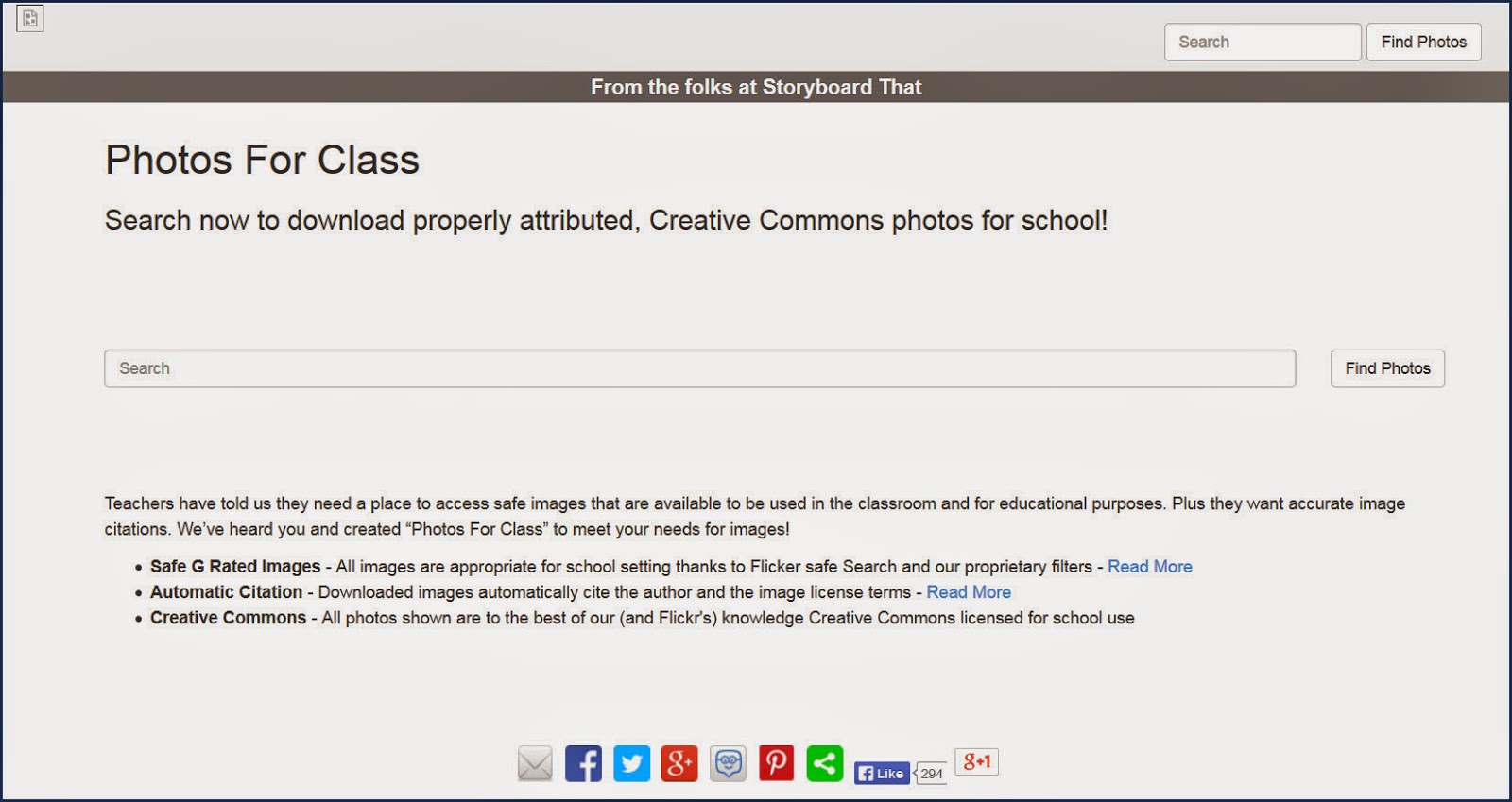
Photos For Class (http://www.photosforclass.com/) is a searchable source of photos for classroom use.

    Photos for Class is simple to use and potentially helpful in a variety of ways.  The site states very specifically that all photos are "G rated images" appropriate for school settings. Also, "downloaded images automatically cite the author and the image license terms."  Finally, all images are licensed through Creative Commons for school use.  GSB subscribes to the Britannica's ImageQuest data base which is an excellent source of images, but Photos For Class simply offers another option.

Modern Chalkboard offers an array of SMARTBoard-ready lessons.
   Modern Chalkboard is likely to prove especially useful to our Lower School and Middle School teachers. It is in those divisions that a majority of our SMARTBoards are located. On the site, SMARTBoard lessons are available to be downloaded and then can be uploaded to your SMARTBoard.  Many come with .pdf teacher guides to help teachers create lessons. The site is searchable by discipline and subject, but is especially strong in math topics.  That said, there are lessons listed under "Grammar, Science, Social Studies, Pre-K & Kindergarten and Calendars as well.
Downloaded images automatically cite the author and the image license terms - See more at: http://www.photosforclass.com/#sthash.n86dVven.dpuf

   Going though web site searches, I often ran across apps that looked interesting.  Because tablets are more in use in the Lower School than in the other divisions, I paid particular attention to mobile apps that might be useful to grades K-4. A few caught my attention.

Mt. Multiplis is a free, downloadable app. More info at their web site (http://www.teachley.com/mt-multiplis-app.html).
   Mt. Multiplis, a Teachley product, is a free app. In a fun game-like environment, this app helps beginners learn the principles of multiplication. Instruction is based on an understanding of underlying principles, not on memorizing the multiplication tables. 

Word Clouds is an app that allows users to create word clouds on a mobile device. More info at the ABCya.com web site (http://www.abcya.com/).
   Wordle is a very popular web-based word cloud creator. Word Cloud, a free app, works equally well. It offers control over fonts and color schemes. Students can paste in text or write new text directly into the editor.  Results can be saved and used in other applications.  Word clouds are lots of fun for young students and help them build language skills.

Tynker can build on the programming work done by students during the Hour of Code. 
   Tynker is a downloadable app and a web site.  Regardless of device, the people at Tynker have created products designed to get students interested in coding through creative, fun activities.  The app's front page states succinctly what these activites are all about: "Learn programming the fun way."  Some of the features in the app cost money, but the creation section is free.

   There are always new sites and apps to explore. Hopefully, you find something of interest among these relatively new resources.

Sunday, February 1, 2015

GSB Alumni in the News


   I started this blog in 2010 with a distinct goal. I wanted to create a forum that would offer an opportunity to appraise readers of technology uses and initiatives at GSB.  Hopefully, I've kept that goal in focus.
   But for this post, I'm going to take my first time out and briefly address another topic. I've worked at GSB for many, many years. One of the pleasure of a long term stint in a school is that over the years, you get a chance to follow former students as they grow into their adult lives.  Just the other day, I learned about two alums, separated by a generation, that are making an impact.  I have fine memories of both of these alums when they were at GSB, both already talents-in-the-making even while at GSB.
   Sean Baker graduated in 1987. His interest in film was already in full bloom during his high school years, and he continued to learn more about the film making craft at NYU. Over the years, he developed his skills and his reputation as a notable independent film maker grew.
   This week, Sean is at the Sundance Film Festival with his latest film, Tangerine.  It's already been sold to a distributor and is garnering rave reviews.  Just as an example, take a look at Manohla Dargis' article on a number of Sundance selections from this week-end's NY Times.  Or listen to Sean talk about the making of the film courtesy of Variety.com's web site:


      Sean's tenure at GSB dates back almost 30 years. But a more recent alum, class of 2012, also came to my attention on the same day. A link to an article about Alex Mitola was circulating around school and the article was a reminder of how much I enjoyed watching Alex and his teammates play basketball.  The article was also a reminder how enjoyable it is to follow alums as they navigate the challenges of college and adulthood, and often do well for themselves while helping others.  The article about Alex, written by Rob Wilson and appearing on the onebidwonders.com web site, is worth a read: "Alex Mitola: The Culture Changer."

Sunday, January 18, 2015

3D Printing

   Len Grabowski sent me an article recently. It was from Make:, a publication devoted to information about the DIY (Do It Yourself) world. This particular article was titled "Man Saves Wife's Sight By 3D Printing Her Tumor." Got my attention!
   I'll admit that 3D printers, like wearable computers (e.g.: Apple Watch, Google Glass) or Segways, seem to be a sign that the future is here.  Not that long ago, at least to me, a 3D printer seemed only possible in the world of science fiction. And then fairly quickly, 3D printers went from a concept to a very expensive, highly specialized tool to a household device that was at least as much plaything as productivity tool.
   We have two 3D printers at school. One is in the Middle School in Frank Corrado's classroom. He oversees a 3D printer club. After school, interested students gather and work through software designs to select objects to print.  In doing this, students begin to learn coding. They also get a better sense of the relationship between computer code and resultant actions. Code, after all, is a set of instructions.  Understanding how instructions affect outcomes is important learning.  They also learn about how a machine functions; in this case, of course, the machine is the printer.  And finally, they have fun. Really, it's lots of fun seeing 3D objects take shape based on your software input.
GSB students admiring the Middle School 3D printer. The green and grey spools are the raw material for printing.

    In the Upper School, a 3D printer is used primarily by our robotics team to teach some of the same skills Middle Schoolers are learning, albeit at a more sophisticated level.  But additionally, the printer is being put to work in the service of Robotics. Custom parts can be designed and fabricated by team members.  Design ideas can be more easily tested because custom design work can now be done in-house.  And students can replicate parts because the Upper School set-up includes a scanner that scans 3-dimensional objects and then creates software instructions that can be uploaded to the printer.  
An Upper School student examines an object printed by the Maker-Bot Replicator.
   Getting back to that original story that got me thinking about 3D printers, it's the story of a husband with some technical training who learns his wife has a tumor near her eye. The article recounts a few medical misdiagnoses which prompted the husband to think about what he could do. Using some digital scans that had been done of his wife's cranium, he was able to use existing software to instruct a 3D printer to create a three dimensional rendering of her skull which physicians could use to guide a surgical procedure.  


The graphic above can be manipulated by placing your cursor on the image and moving your mouse.
   
   A couple of other items from the frontiers of the 3D printer world:  The NY Times recently reported on a 3D printer being used to print an automobile. (There's a video included in the article.)  OK, admittedly this is probably not the car of your dreams. But still, the idea of a printer being used to fabricate an auto body seems to suggest that there could be an exponential growth in how these printers are used in the coming years.
   And in November, 2014, the International Space Station made news when the first object was printed in space. With perhaps intentional irony, the first object the 3D printer printed was a replacement faceplate for itself. In other words, this printer was illustrating that not only could it fabricate parts that might be needed for space station repairs, it could actually fabricate parts that might be needed for its own repair. 
   Connect all the dots and a picture begins to emerge of a growing presence of 3D printers finding applications in fields as diverse as manufacturing, medicine and recreation. That's why it's good to see our students enjoy learning opportunities with 3D printers. I'm certain we'll build on our current program and find ways to expand it in the years ahead.