Tuesday, October 29, 2013

Infographic - Online Learning

7 Myths and Facts About Online Learning [Infographic] - An Infographic from My Education

Some information to consider......This infographic is embedded from 
Lori Johnston's blog, My Education.

Thursday, October 17, 2013

Passwords


   Passwords are getting to be a challenge.  I have about 100 password-protected accounts now, and probably more to come.  No, I'm not exaggerating. In addition to my personal accounts, I am counting the various school network log-ins and school-based web sites.  One example: we have YouTube accounts set up for the Lower School, Middle School and Upper School. Each has its own user name and password.  And I have a personal YouTube account as well. So that's four passwords just for YouTube.  
   I said Passwords are getting to be a challenge. Let me re-phrase that; passwords are getting crazy.  Is this model of ever increasing password-protected accounts sustainable? Probably not, but for now and into the near future, many of us need to keep track of multiple accounts, each with unique password protocols.
   On top of this, I'll simply repeat what we've all heard. Passwords need to be somewhat complex to be effective. In other words, if it's easy to remember, it's probably easy to hack. That's why a mix of random symbols together with numbers and letters creates a strong password. Here's an example: 4fijT&%;4m9. A great password, sure, but who could possible remember it?
   Google the ten most popular passwords. Here's Gizmodo's list from 2012:

1. password
2. 123456
3. 12345678
4. abc123
5. qwerty
6. monkey
7. letmein
8. dragon
9. 111111
10. baseball 
   Yes, they are easy to remember, but just as easy to hack.  As passwords, they simply won't do.  So what's the solution? How can you create reasonably complicated passwords, keep track of them and hopefully have different passwords for each account?
   One solution is to create a spreadsheet of your accounts with user name and password information and any other additional account information that might be needed.  Upload the document to a password protected cloud storage account (like box.net, dropbox, iCloud, etc.) with the additional protection of a password to open the document.  I've done this. It works, and I feel comfortable with sensitive passwords housed in cloud storage.  In other words, if I want to log into my Google account and cannot remember my credentials, I would first go to dropbox and log in.  Then I would select the spreadsheet containing my account information and open it.  Before it actually opens, however, I will be required to put in an additional password. So I feel my account information is secure, but I do need to remember my dropbox information and the password that allows access to the spreadsheet.
   There is software that can do some of this work for you. Just recently, the NY Times posted a video as part of its Technology/App Smart section reviewing apps that assist with password management.  Though I've never used these apps personally, they look to be useful.  Here's the video: 

Wednesday, October 2, 2013

Data 101: An Introduction to Data Usage at GSB

   "Data" is a very current technology buzzword.  It has to do with the increasing use of computers and related technologies to track and record behaviors and activities of almost anything, from weather trends to an individual's shopping patterns. When large data sets are aggregated and analyzed, the term "Big Data" comes into play. And in a more pedestrian way, data is the archival record of information that is accessible in a variety of ways to users.  
   At GSB, we've made a giant leap into data management over the last several years in ways that are not especially apparent to most of our community.  That's why I thought I 'd use this post to discuss data use at GSB.
   Any discussion of data use at GSB should begin with Blackbaud.  Blackbaud is our school's database.  It is actually composed of several interconnected parts: Education Edge, Financial Edge, Raiser's Edge and Admission Edge. Each component part serves particular functions.  Education Edge houses the academic records of our students. When middle and upper school faculty use FAWeb to enter grades for students, ultimately that course grade information finds its way to EE as a grade record for students. Transcripts are generated from EE.  
   In like ways, Financial Edge, Raiser's Edge and Admission Edge are utilized by the Business Office, the Development Office and the Admission Office.  Biographical family information is shared across platforms, but each platform has unique data fields to serve users.
    KnightSite is built upon another data set and serves as a database as well.  It is also a perfect illustration of how data moves from database to database.  Data managers talk about migrating data.  This is the science (and in no small way, the art) of culling data from one source and moving it to another database.  When KnightSite classes are annually populated with the classes and rosters for the current school year, that information must first be queried from Education Edge, put into a proper file format and then imported into Whipple Hill's KnightSite.
    Destiny is our library's database of its inventory. It's a fully searchable database by GSB users to see what's in our collection. Destiny can be used to reserve or take out materials.
     Middle School readers are very familiar with AR, Accelerated Reader.  The site students log into is actually a database of books and related quizzes.
   We've created a database in recent years that's hosted by the Honeywell Instant Alert group.  Populating fields with user names, phone numbers and emails, we can now use this database to notify our school community of any emergency notification. When that call comes letting you know there's a delayed opening due to weather conditions, a database has made that call possible.
   Upper School students and their families are familiar with Naviance, a database that has been created specifically to serve the needs of college-bound students.  Through Naviance, a large amount of college-search and college-admission data can be organized.
    All of these databases are actively managed by people at GSB.  But there is a whole other set of databases utilized widely by GSB students and faculty. These subscription databases, over twenty in all,  are manged by our library and are closely tied to curricular needs. Some examples include the American Memory (database from the Library of Congress), eLibrary (access to newspapers, magazines, maps and TV/radio transcripts), Image Quest (2 million images from specialized collections, all rights-cleared for educational use) and the Historical NY Times (every page of every issue). Access to these databases is available on the KnightFiles page of KnightSite.
   In ways obvious and less apparent, GSB is managing and utilizing data in administrative and curricular ways. Not so long ago, hardly anyone in education gave "data" a second thought. Now, it's become a crucial part of our school's operation.


Sunday, September 15, 2013

Topics in KnightSite

   Over the last several weeks, faculty, students and parents have become increasingly comfortable with our newly designed KnightSite.  As has been mentioned, changes are primarily in design, not in functionality.  What was done in the former version of KnightSite continues to be done in this latest iteration of our intranet.  But there are some genuine differences as well.
   The Activity Stream is an obvious change from the former version.  With the Activity Stream, users are instantly apprised of new postings that may be of direct interest. This change will affect all users. Editing tools have changed as well.  There is drag and drop technology built into the editing views of many pages.  Not everyone will be affected by this change, but for page editors, it is a welcome change.
   Faculty have a new tool as they construct class pages; Topics.  Topics, one of the four pages that comprise each class site, allow individual teachers an ability to show a set of interrelated resources that are thematically connected to a learning topic.  These topics can be used in a wide variety of ways to conveniently present information about a learning unit.  A few newly created Topics can illustrate some of the possibilities.
   In the Lower School, Science teacher Lynn Prosen has created a series of grade-specific Topics.  Each hosts information and resources about a topic of study that is addressed by a grade level.  The screenshot below shows four of her seven Topics:

By clicking the highlighted title of a Topic, the user will open to the contents.

After clicking on the Butterfly Garden Problem, the resources for learning are apparent.
   In the Middle School, Latin teacher Donna Butler has also created a topic, albeit for a different purpose.  Donna utilizes an audio dropbox to facilitate student learning.  Students can record assigned lessons into a cloud-based recorder (the audio dropbox) which Donna, through her account log-in, can retrieve. Then she can listen to the voice recordings of her students.  It functions much as a traditional language lab though it is neither constrained by location or time. Students can record from anywhere (so long as internet access is available), and Donna can listen to the recordings on her schedule. If you're interested in learning more about an audio dropbox, Michigan State's site is the place to check. Below, a screenshot of the Topics section of the Middle School Latin class site. Within the Topic: a link to the dropbox recorder.
A cover graphic, like the microphone above, helps to add interest to your Topic.
   In the Upper School, Allison Kochis, a Science teacher, has been screencasting a few lessons so that students can view a presentation about a learning topic at home.  (Interested in learning about screencasting? Screencast-O-Matic is free and is widely used by teachers and others.) In a sense, this video presentation replaces a traditional front-and-center lecture a teacher may do in the classroom.  This format gives students the ability to start and stop the presentation as needed in order to deepen understanding of the presentation.  Below, Topics for the AP Environmental Science class.


Opening the Chapter 1 topic reveals the lecture links.
   The Topics feature provides a convenient tool for student learning.  Hopefully, as teachers become increasingly comfortable with the newly designed KnightSite, they'll fine additional ways to utilize  Topics.

Sunday, August 25, 2013

Some Great Web Sites to Explore

   A new school year is about to get started.  For school people everywhere, the start of school is our other New Year's Day, a day that marks the beginning of another annual cycle of a school year.  At all schools, there's much to do as teachers ready their classrooms and curricula for students.  At GSB, this school year is a bit busier; there's also a new KnightSite to learn.  But somehow, someway, all of the plans and tasks fall into place as the students arrive, and everyone begins the process of another year of learning.

   I thought as an initial blog entry this year I'd offer to teachers a few web sites that I find useful and/or interesting. Each comes with a brief annotation.  I hope in your spare minutes you'll take a look at sites that look promising to you.

http://geoguessr.com/ - This site is actually an interactive geography quiz that utilizes Google Earth maps.  Players are offered a scene. The scene can be manipulated; views can be changed, images enlarged.  On a world map, the viewer places the scene. Answers are given, and the closer you are to the location (in miles), the better your score.  It is guaranteed to test your knowledge of geography and sharpen deductive reasoning skills.


http://www.smallmeans.com/new-york-times-infographics/ - Infographics marry artistic design with data-driven information.  I believe infographics can make great project assignments for students of virtually any age.  They can be fun to do and can help students learn about a topic. The NY Times is one of the only news agencies with a department devoted to infographics. See their work archived at this site.


http://www.hbogo.com/ - Do you get HBO at home? If you do, you have access to a wide variety of their content at this website. Here, content is organized for your convenience. Of special interest to many teachers is the wide array of documentary films available. This content can be accessed on your computer; there is also an HBOGO app for mobile devices.


http://www.gutenberg.org/ - The Gutenberg Project is taking non-copyrighted written material and making it available as digital content. A great many books, especially literary classics, are available free here.  The site is user friendly when it comes to downloading content to your device of choice.


http://www.pbslearningmedia.org/ - I believe I have mentioned this site in a past post.  PBS has built a site for educators that brings together thousands of instructional materials for teachers of all disciplines and ages.  The site navigates easily and it's virtually guaranteed any teacher can find useful resource material here.


https://www.dropbox.com/ - Dropbox (and similar sites like box.net) utilize Cloud technology to offer remote storage to users.  Dropbox users get several gigabytes of free storage. More is available with subscription charges. The end result? You can store files in your dropbox account and access these same files anywhere there is internet service. There is a mobile app as well with full syncing capabilities.  It's convenient, safe and efficient.  No need to email yourself documents again.


http://www.nationalgeographic.com/ - National Geographic Magazine has been around for a long time because it has offered consistently interesting articles and stunning images.  The web site continues the journalistic tradition.


http://www.online-convert.com/ - This site, and others like it, won't be used every day, but when you need the service, it's priceless.  Here, you can take a file in one format and convert it to another format.  Have an MP3 audio file that you want to convert to WAV? Have a MPEG-1 video file that you want to convert to a video file format for an iPad? Have a TIFF image file you want to convert to a JPEG?  This site does the work free and seamlessly.


http://blogs.kqed.org/mindshift/  The Mindshift blog is hosted by KQED, a public media outlet that comes from San Francisco.  The KQED site is interesting and there is plenty of education-oriented content, but the Mindshift blog in particular regularly offers much for any educator to consider.


http://www.newseum.org/todaysfrontpages/flash/ - The Newseum site is also loaded with plenty of fascinating content. This linked page is particularly timely. Here, you can see the front page of hundreds of today's newspapers.  We might be familiar with what The Star-Ledger and the NY Times have on the front page, but what about The Bismarck Tribune (North Dakota) or The Lima News (Ohio)?


Saturday, June 8, 2013

When the Lights Go Down


   This year, I taught a semester filmmaking class during the first and second semesters.  (An earlier post on January 22, 2013 highlights some of the student work that came out of that class.) For the Unit, our two week program in late May, I again found myself involved with film. Teaching with Gina Wendell and Fred Corona, our class of 15 students examined film from a variety of perspectives. The class was titled "When the Lights Go Down," but in truth the course delved into areas of filmmaking that occur well before a final screening. We looked at script development, story boarding, shot-making, lighting and sound. We also looked at post-production processes including the editing of scenes, sound and color correction.
    It's fair to say the class went well. I know that because through an assessment survey, our students uniformly told us they enjoyed the class and learned plenty.  A key reason for our success? Adam Aresty.
Adam Aresty, on site in Hockenbury 201, working with a couple of students.
     Adam, GSB Class of 2003, is in the film business.  Leaving GSB as an enthusiastic film hobbyist, he enrolled in USC's film program.  Perhaps his filmmaking Unit in 2002 offered him a head start to the success he found at USC.  Coming out of college, he settled in southern California determined to make a living in the ultra-competitive film industry.   He felt his strength was in writing and so he began working on scripts while extending his professional network.  Finally, this year, he sold a script to a production company. The film, Stung, is currently in production.  It will be shot in Germany on location in the fall.  (It's what I would call a fairly graphic, somewhat grotesque horror film. More on that later.) Not surprisingly, it is occupying much of Adam's time and attention through this year.
     And yet, when, earlier this year, I emailed with Adam and asked if he'd like to visit this Unit class if he was going to be in NJ, he jumped at the chance to be involved. "Involved" doesn't begin to describe his immersion in the teaching process.  I thought we'd be lucky to have Adam in class for a day. He committed to four days. I hoped he might walk students through the transition from script to shoot.  He did that, and plenty more. He provided the class with scripts, storyboards and films to illustrate key concepts.  He provided guides to viewing films, designed to help students get beyond plot lines. He steered students into script writing. And though relatively young, he is accumulating the anecdotes only available to insiders.  For students and resident teachers, Adam's stories were fascinating.  
    Most importantly, Adam was able to convey to our students what it means to work in a field you love. His enthusiasm for films as wide-ranging as Jaws, Groundhog Day and Psycho was contagious.  Simply put, he was a real key to the success of our class.
     What are the lessons to be learned? It's as simple as 1-2-3. 
     1) Great teaching - and the learning that invariably follows - begins with an enthusiasm for the subject.    
     2) At GSB, we should think more often about our ever growing body of alumni as a source of expertise. Alumni generally won't think to help out unless asked. When asked, however, the response is almost always "How can I help?"
     3) Our students learned that the people who work on horror films can be personable and intelligent.  It would be hard to find two more apt words to describe Adam. 
    

Monday, May 13, 2013

Virtualization at GSB


   At first glance, there's nothing unusual pictured on the desk above. There's a computer screen with a keyboard and mouse, and a phone as well.  Look a little bit closer and you might observe the phone seems a bit different than other phones as school.  But all in all, the set-up seems ordinary in our work environment.
   The truth, however, is that this picture represents a major change in our network. 
   Since the onset of computers at GSB in the mid-1980's, all computing, whether on PCs or Macs, has been done on stand-alone machines.  In other words, the CPU (central processor unit) has been housed in each unit. Each device was capable of independent computing.  By the 1990's, these independent computers were linked together in a network but still, each device was capable of independent computing.
   Now, in the business offices of Henshaw Building, desktop computers have been replaced by Thin Clients.  That's a thin client device pictured above.  So what's the difference?
   Our thin client stations have no CPUs. Rather, they link to software that is being run on the server in Hockenbury.  What a user will see on the monitor screen is identical to what he or she would see if using a computer, but all software is housed on the server.  The whole approach to computing is called virtualization.  Our Business Department is now working in a virtualized environment.


   In our set-up, it's the phone that houses the thin client hardware.  Yes, it still functions as any other phone in our system.  But this device also houses the components for our virtualized system.  The back of the phone shows that users still have the capability to connect USB-supported hardware and connect to external monitors.  The picture below shows the back of the phone.


   Why implement virtualization? Are there advantages? The answer is that there are several advantages, and each is significant.  The cost of each thin client work station is cheaper than the equivalent purchase of a stand-alone computer.  Additionally, they use less energy and break down far less frequently.  They have no moving parts, so there's no fan and therefore no noise. They have a life expectancy of about 7-8 years, versus 3-4 years for a computer.  Because the software is housed on our server, upgrades and installs can be done once in a planned, efficient way.  Users can still log in to their account from any work station, but the load time will be quicker. Thin clients can run the same software that computers run. They can access the internet.  But without an attached optical disc drive, they cannot play CDs or DVDs.
   It's easy to see that virtualization offers considerable advantages over traditional computers.  But configuring for virtualization was no easy task. Credit Ryan Roque for his tireless efforts to see the project through to completion.
   Admittedly, this is a quick overview of virtualization. A quick web search will give you plenty of additional information if you are interested.  But my intent is simply to let readers know that our school's computing environment is in transition, and moving forward, we'll being seeing an increased presence of virtualization on campus.  The end result will be a mixed environment with both computers and thin clients in evidence throughout campus.
   

Friday, May 3, 2013

GSB Upper School Technology survey

   Over the last couple of weeks, GSB Upper School students have had an opportunity to self-assess their technology skills.  I've created and used an online survey students can complete and submit to gather data.  When final results are tabulated, we'll have more detailed information about the technology skills our students have and the missing skills that need to be addressed.
   Here's a look at part of the survey:


   Several of the questions (#2-5) ask students to assess their comfort level with systems or software.  In each of these cases, there's an assumption that students are familiar with the listed topic.  Though comfort level can be hard to quantify, patterns of comfort or need should be quickly evident as results are examined.
   Questions #7-17 get at more specific skills.  A highly competent technology user would answer "yes" to each question.  It's unlikely many students in the upper school will feel fully competent in each of these areas, and it's really not expected either.  But these skills are broadly used across many academic disciplines and students will be well served to have a strong technology skill set at their disposal.


   When the survey is complete and results are examined, our next step will be to look for what we see as the largest problem areas.  If, for instance, 75% of our students said they did not know how to use file sharing software and did not know how to create an infographic, I would start by addressing the lack of file sharing understanding.  It's a more basic skill.  
   Following an identification of skill shortcomings, it makes sense to work with faculty to decide how best to integrate technology skills into the curriculum.
   Moving forward, the Middle School and Lower School can be similarly assessed.

Saturday, April 20, 2013

Web Sites - A Few That May be New to You


   The May, 2013 issue of PC World has an article entitled "101 Great Web Sites You've Never Heard Of."  I went through sites that seemed promising for their utility and came up with eleven I'd like to share.  Some may be prove useful for the classroom, and others may be of personal interest. 

http://www.bookish.com/home - A recommendation search engine for readers.  Recommendations can be accessed by entering known titles, and likely recommendations appear.  


http://www.shorpy.com/ - This site archives vintage photos, thousands of them.  Back-stories are related along with additional information supplied by readers.


http://blankonblank.org/ - Interviews that journalists have done are re-mastered and re-worked to provide an enriched listening and viewing experience.  There are many great interviews archived on this site.


http://www.fastcoexist.com/  - All sorts of new, interesting ideas are presented with a bright, vivid user interface.  Additional tabs on the site are pages for design, creation and cutting edge computer code lab work.  


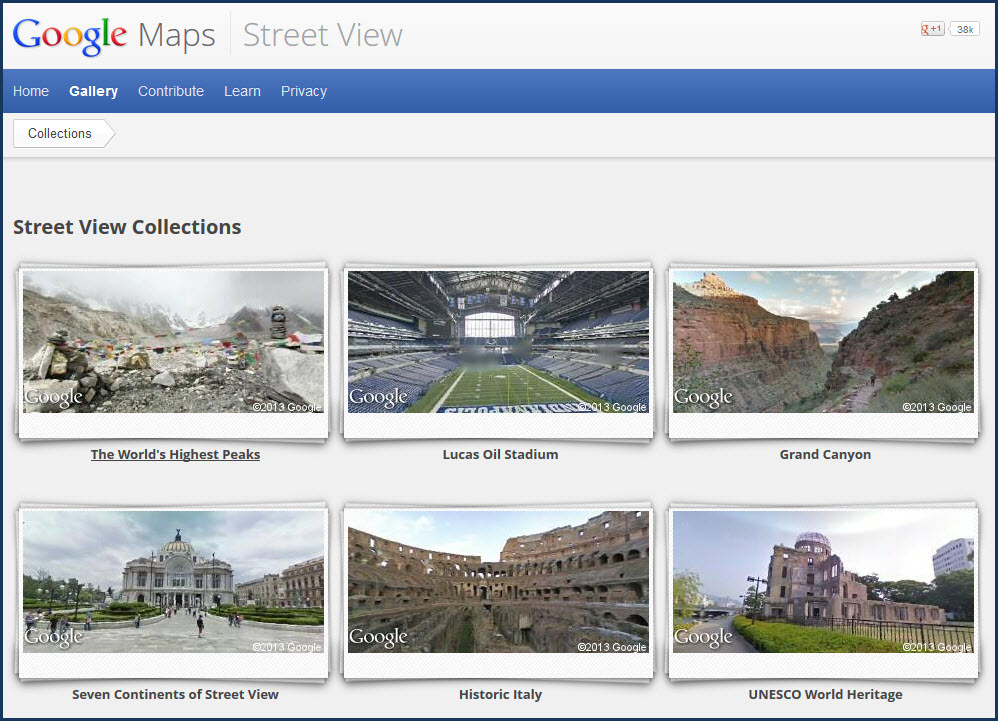
http://maps.google.com/intl/en/help/maps/streetview/gallery/ - Google’s street view gallery offers a catalogue of street views. Not all the views are of streets however; pictures of the Grand Canyon and the world’s highest peaks are included.


http://laphamsquarterly.org/ - Scholarly, eclectic and engaging; this quarterly publication is curated by Lewis Lapham, long associated with Harper’s.


http://www.mnh.si.edu/vtp/1-desktop/ - Take a virtual visit of the Smithsonian National Museum of Natural History.  You can visit exhibits, room by room. The clarity is stunning.
 

http://stackexchange.com/sites - Have a question? This aggregator site brings together over 100 Q & Sites to allow you to get help with any question you may want answered.


http://www.languageisavirus.com/ - A great site for creative writers.  There are all sorts of prompts, games and exercises.


http://ctrlq.org/screenshots/ - This site takes screenshots of web pages and offers a downloadable file ready to save to your desktop.  It’s a very convenient way to save a full web page image.


http://www.printwhatyoulike.com/ - This site can work hand-in-hand with the one above.  It allows you to modify a web site image so you can print any parts of a web site you’d like.  A little experimentation lets you see the power of this site.


http://publicdomainreview.org/ - Every day, plenty of media content enters into the public domain. These materials can be freely used by educators, and there is plenty here to choose from. It’s a quirky and interesting site, and potentially curricularly valuable.